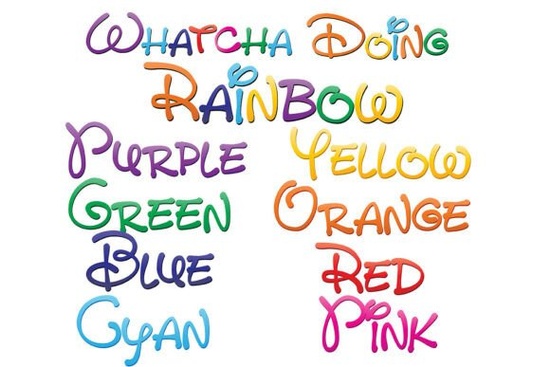
If you’ve ever wanted to add a playful splash of rainbow color to your designs without manually coloring each letter, the Whatcha Doing Font might be exactly what you’re looking for. This isn’t just one font it’s a set of nine full-color, hand-drawn typefaces that bring a cheerful, whimsical vibe to everything from greeting cards to T-shirt designs. Each character is crafted with care, featuring soft, rounded strokes and a gradient that cycles through all eight colors of the rainbow.
What makes this collection stand out is how it blends personality with practicality. Unlike traditional fonts where you’d have to layer or recolor text in your design software, these are OpenType SVG fonts meaning the color is built right into the font file itself. When used in compatible programs, your text appears instantly in vibrant hues, no extra steps needed.
Who is this font best for?
Whether you're a small business owner creating social media graphics, a print-on-demand seller designing mugs or tote bags, or a hobbyist making birthday invitations, the Whatcha Doing Font adds instant charm. Its friendly, handwritten style works especially well for:
- Kids’ party decor and invitations
- Branding for playful or creative brands (think bakeries, art studios, or toy shops)
- Craft projects using cutting machines like Silhouette or Cricut
- Digital planners, stickers, and printable wall art
Because the fonts are vector-based, they scale cleanly to any size perfect if you’re printing large posters or tiny labels.
How do I know if my software supports color fonts?
Not all design programs can display SVG color fonts yet. You’ll typically see the text appear in black during font selection even in supported apps but once you click into your document and start typing, the colors should pop if your software is compatible.
Currently, these programs support full-color SVG fonts:
- Adobe Illustrator, Photoshop, and InDesign (CC 2018 and newer)
- Silhouette Studio (Business Edition or higher)
- Inkscape (version 1.0+)
- QuarkXPress
If you’re using basic word processors like Microsoft Word or older versions of design software, the font will still install and work but it’ll show up in solid black. That’s normal, not a problem with the font itself.
What’s included in the set?
The Whatcha Doing Font bundle gives you nine variations:
- One full rainbow version that blends all eight colors seamlessly
- Eight individual single-color fonts one for each hue of the rainbow (red, orange, yellow, green, blue, indigo, violet, plus a bonus tone)
This flexibility lets you mix and match. Want only yellow and blue letters? Just switch between the corresponding fonts mid-sentence. Need a consistent rainbow flow? Stick with the ninth, all-in-one version. You can explore more about how these colorful fonts work in our overview of colorful font options for designers.
How do I install and use it?
Installation is straightforward. On Mac, double-click the .otf file and click “Install Font” in Font Book. On Windows, right-click the file and choose “Install,” or use your preferred font manager. Once installed, the font appears in your software’s font menu like any other.
Remember: even in compatible apps, the preview dropdown might still show black text. Don’t worry just select the font and start typing in your document canvas. If the colors appear, you’re good to go!
For those curious about trying it out, you can view the full listing on Creative Fabrica: Whatcha Doing Font.
Tips for getting the most out of these fonts
Because of their detailed, multi-colored nature, these fonts work best when given a little breathing room. Avoid using them in very small sizes (under 18pt) where the color transitions might blur together. They also pair beautifully with simple sans-serif fonts for contrast think clean body text with a Whatcha Doing headline.
And while they’re fantastic for digital use, always check your printer settings if you’re producing physical goods. Some printers may interpret the embedded colors differently, so a quick test print is wise.
Before you start designing, here’s a quick checklist:
- ✅ Confirm your software supports SVG color fonts
- ✅ Install all nine font files for full flexibility
- ✅ Test at your intended size to ensure readability
- ✅ Use a light or neutral background so the rainbow colors shine
- ✅ Save your work in a format that preserves vector quality (like PDF or SVG) when possible
With its joyful aesthetic and smart technical design, the Whatcha Doing Font makes adding color effortless so you can focus more on creating and less on tweaking.
Get Started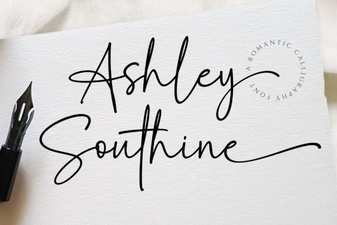 Download Ashley Southine Free Font
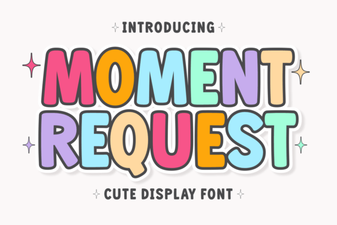 Introducing Moment Request Font for Creative Projects
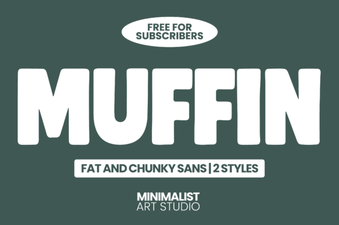 Muffin Font for Creative Design Projects
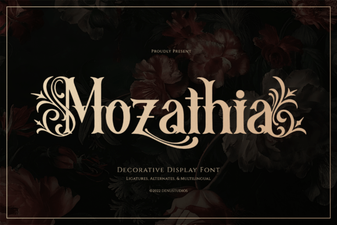 Mozathia Font for Modern Creative Projects
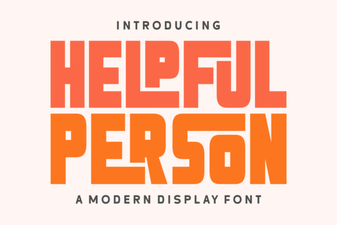 Finding the Perfect Friendly Font for Your Design Project
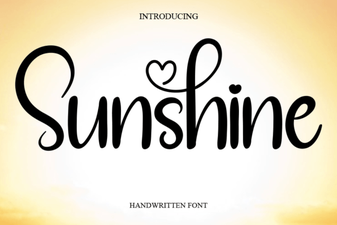 Sunshine Font: Creative Projects & Design Inspiration